Key takeaways:
Dexcom and Eversense are two brands of continuous glucose monitors (CGMs). Their newest systems are the Dexcom G7 10 Day, Dexcom G7 15 Day, and the Eversense 365.
Dexcom G7 15 Day sensors are self-inserted every 15 days, while the Dexcom G7 10 Day has a 10-day wear time. The implantable Eversense 365 lasts for a full year. It’s inserted and removed once a year by a healthcare professional.
The Dexcom sensor warm-up period ranges from up to 30 minutes (G7 10 Day sensors) to 1 hour (G7 15 Day sensors). Eversense 365 only has a 24 hour warm-up period once a year after it’s inserted.
There are ways to save on Dexcom and Eversense. GoodRx can help you access Dexcom G7 at an exclusive cash price. GoodRx can help you navigate your options to make your CGM more affordable.
Save on related medications
Continuous glucose monitors (CGMs) have made a huge impact when it comes to living with diabetes. Whether you have Type 1 or Type 2 diabetes, a CGM can make tracking your blood glucose (sugar) levels easier. And they can help you discover glucose trends over time.
There are a few CGMs available, including Dexcom and Eversense. Dexcom’s G7 10-day and 15-day options are very popular. Eversense is a longer-lasting, implantable sensor with a transmitter that’s worn outside of the body.
While Dexcom and Eversense have some similarities (such as taking glucose readings every 5 minutes), they also have several differences. Knowing about them can help you and your healthcare team choose the CGM that best fits your needs.
Note: This article will discuss the Dexcom G7 and Eversense 365 devices. The manufacturers make other CGMs in addition to these. The models discussed here are the newest ones available.
Dexcom vs. Eversense comparison chart
When comparing devices, it can help to see details side by side. The table below highlights key differences between Dexcom G7 and Eversense 365.
| Dexcom G7 | Eversense 365 | |
|---|---|---|
| Sensor life | G7 10 Day sensors: Up to 10 days
G7 15 Day sensors: Up to 15 days Both sensors have a 12-hour grace period at the end of the wear time. |
Up to 1 year |
| Warm-up period | G7 10 Day sensors: Up to 30 minutes
G7 15 Day sensors: Up to 1 hour |
One 24-hour warm-up period once a year after insertion |
| Sensor insertion process | Self-inserted at home by the user | Surgically inserted by a healthcare professional in an office or clinic setting |
| Transmitter application | Transmitter and sensor come assembled together as a ready-to-use device | Transmitter must be applied separately |
| Battery life | Built-in, non-rechargeable battery lasts for the life of the sensor | Transmitter needs to be charged daily |
| Calibration requirements | Factory-calibrated, but can calibrate as needed | Calibration with a blood glucose meter (glucometer) is required.
Has three calibration phases:
|
| Approved ages | G7 10 Day sensors: Adults and children ages 2 and older G7 15 Day sensors: Adults ages 18 and older |
Adults ages 18 and older |
Here, we’ll review six key differences between Dexcom and Eversense.
1. Each Eversense sensor lasts up to 1 year, while Dexcom sensors last for up to 15 days
The Dexcom G7 has two sensor options: G7 10 Day and G7 15 Day. The G7 10 Day sensor lasts for up to 10 days after insertion. And the G7 15 Day sensor lasts for up to 15 days. Eversense 365’s sensors last up to 365 days (1 year) — the longest of all currently available CGMs. This may make the Eversense 365 a more convenient option for some people.
All CGMs have a few main components: a sensor, a transmitter, and a receiver. The sensor takes glucose readings from the fluid underneath your skin (interstitial fluid). The transmitter sends those readings to the receiver. The receiver displays and stores glucose readings and trends over time.
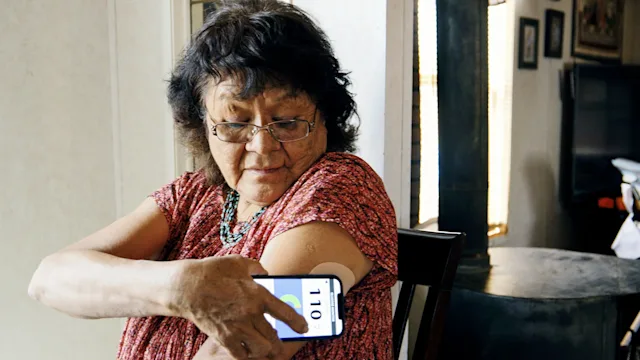
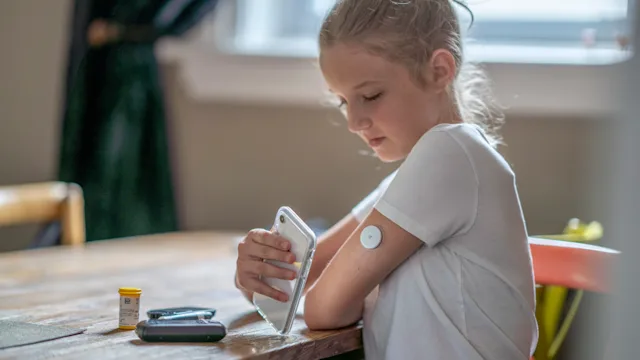
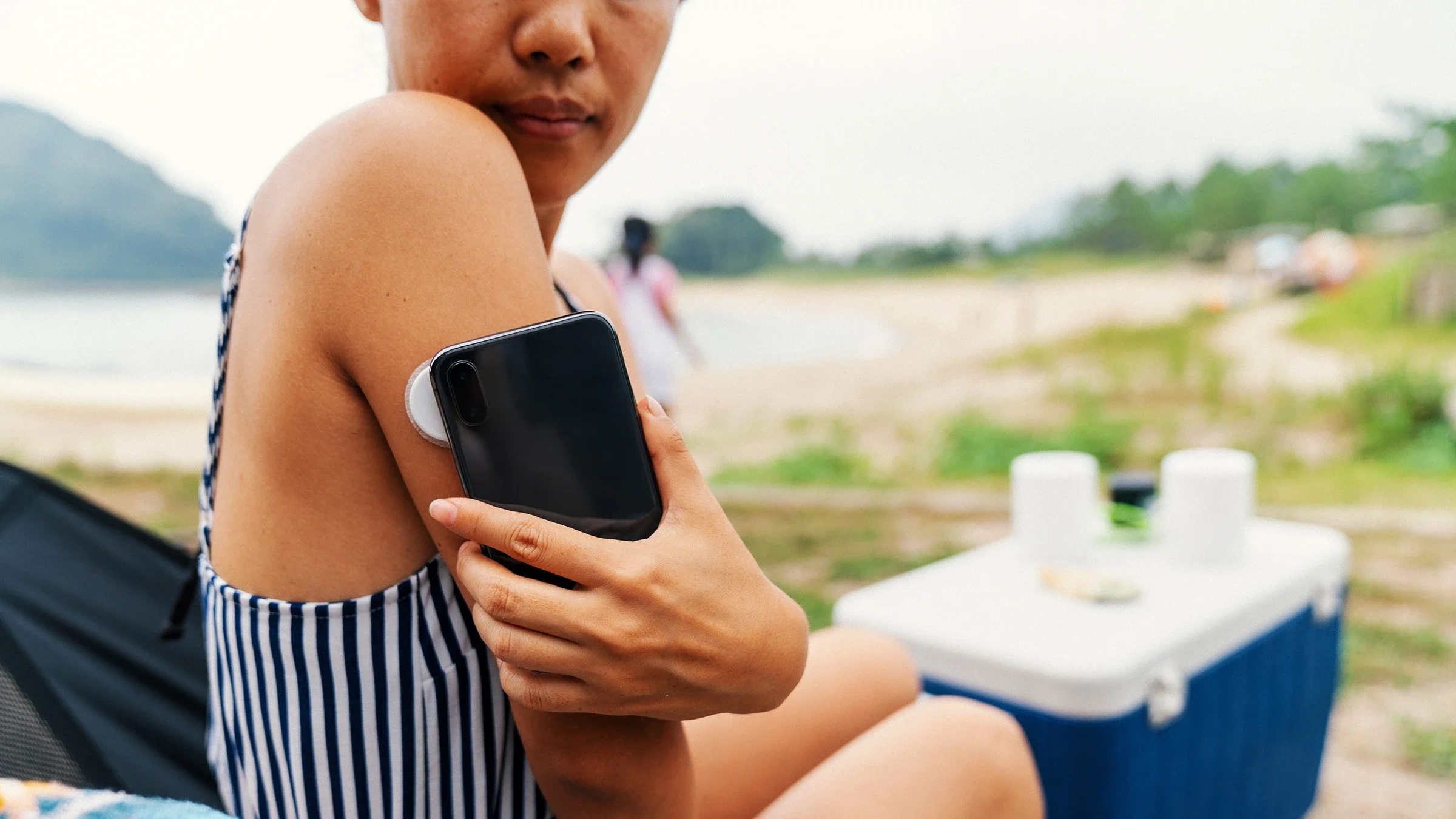
Both Dexcom and Eversense allow you to use your smartphone or a compatible automated insulin delivery (AID) system as the receiver. Dexcom also offers a standalone touchscreen reader, as well as compatibility with certain smartwatches.
2. Eversense implantable sensors must be inserted by a healthcare professional
Many CGMs, including Dexcom, are self-managed. This means a person can insert and remove sensors on their own at home. The Eversense 365 system, though, has an implantable sensor. This means it needs to be inserted and removed by a healthcare professional at their office or clinic. Because of this and other factors, such as age restrictions, Dexcom may be a more suitable choice for some people.
Inserting or removing an Eversense 365 sensor is a quick process. It usually takes about 5 minutes. Your healthcare professional will numb your skin and make a small incision in the back of your upper arm. Then, they’ll insert the sensor and cover it with a few sticky bandage strips. To help the incision heal quickly, and reduce the risk of infection, be sure to follow aftercare instructions from your healthcare team.
3. Eversense and Dexcom G7 15 Day sensors are only FDA cleared for adults, while kids ages 2 and up can use Dexcom G7 10 Day sensors
The Dexcom G7 10 Day sensors are FDA cleared for adults and children ages 2 and older. The Dexcom G7 15 Day sensors and Eversense 365 are only cleared for adults ages 18 and older. So Dexcom G7 10 Day is the only option for children under age 18 among these CGM systems.
Studies on G7 15 Day sensors for their safety and how well they work only included adults. The studies done on G7 10 Day sensors, however, included adults and children. That’s why there’s an age restriction for the 15-day model. It’s unclear whether Dexcom is currently studying the 15-day sensors for a younger population.
Similarly, only adults participated in the clinical trials for Eversense 365. The company started a clinical trial studying Eversense implantable CGMs for children ages 14 and older. But there haven’t been any updates on the study’s progress. So it’s unclear whether Eversense 365 could be available for children to use in the future.
4. Dexcom has a shorter warm-up period than Eversense
All CGMs have a “warm-up” period. This is the time between when the sensor is inserted and when it starts providing glucose readings. The Dexcom G7 10 Day warm-up time takes no longer 30 minutes. The G7 15 Day may take up to 1 hour.
Eversense 365 has a longer 24-hour warm-up period. But it only takes place once a year after insertion.
Good to know: You’ll need to use a glucose meter (glucometer) to check blood sugar levels during the warm-up period.
5. You need to calibrate Eversense, while Dexcom comes ready to use
For certain CGMs, you’ll need to log blood sugar readings from your glucometer into your CGM app. The manual readings help your CGM align to your blood sugar. This process is called calibration. Calibrating can provide more fine-tuned, accurate glucose readings.
But not all CGMs require calibration. After the initial warm-up period, the Dexcom G7 10 Day or G7 15 Day sensors are factory-calibrated. This is different from Eversense 365, which requires routine calibration. Let’s take a closer look at how Dexcom devices and Eversense 365 deal with calibration.
Dexcom G7
Dexcom comes ready to use out of the box. This means there are fewer steps you need to follow before getting glucose readings. Again, it’s self-inserted, has a short warm-up time, and doesn’t require calibration. However, if your readings aren’t matching how you feel, you should check your blood sugar with a glucometer. Then you can calibrate the CGM in the Dexcom app or on your touchscreen reader if preferred.
Eversense 365
The Eversense 365, on the other hand, requires regular calibration to ensure you’re getting accurate readings. You’ll need to do this more frequently during the first weeks after insertion.
The recommended calibration schedule for the Eversense 365 is as follows:
Initialization phase: After the warm-up period, you’ll check your blood glucose and calibrate four times as instructed. After the second calibration, you’ll start to see glucose readings.
Once daily calibration phase (lasts 13 days): During this time, you’ll check your blood glucose and calibrate every 24 hours.
Once weekly calibration phase: After the first 13 days, you’ll only need to check your blood glucose and calibrate once a week. But there may be times when your system may request additional calibrations.
Good to know: If you aren’t following calibration instructions, you may be bumped back to the initialization phase.
6. You need to charge Eversense’s transmitter
A drawback of the Eversense 365 is that you’ll have to recharge the transmitter battery every day. It only takes about 15 minutes, but the system won’t log glucose readings during this time or for about 10 minutes after reattaching the transmitter.
Dexcom G7 doesn’t need recharging. They’re all-in-one devices, meaning the sensor and transmitter are connected and fully disposable. So each time you insert a new sensor, it comes with a fully charged transmitter built in.
How to save on Dexcom and Eversense
There are ways to save on diabetes glucose testing supplies, including CGMs. The best way to save is by using your insurance, if you have it. Many insurance plans cover CGMs similarly to how they cover glucometers. But they may only cover one CGM brand.
GoodRx can help you navigate the ways to save on your Dexcom or Eversense prescription.
How to save on Dexcom
Here are some ways to save on the Dexcom G7:
Save with GoodRx. Anyone with a valid prescription, regardless of insurance status, can use GoodRx to purchase a 30-day supply of Dexcom G7 10 Day or G7 15 Day sensors at an exclusive cash price.
Save with a patient assistance program. If you’re uninsured or underinsured, you may be eligible for Dexcom’s patient assistance program, which may offer the device for free or at a reduced cost.
How to save on Eversense
Since Eversense 365 is placed by a healthcare professional, the savings opportunities are different. If you have commercial insurance, you may be eligible for the Eversense Pass Program. With this program, you may pay as little as $199 per year.
Frequently asked questions
To calibrate the Dexcom G7, use your glucometer to take a fingerstick glucose reading. Then enter your blood glucose into your Dexcom touchscreen reader or smartphone app. This option can be found in the area of the reader or app where you can track events that affect glucose.
Bleeding can happen when inserting a Dexcom sensor. The topmost layer of your skin has tiny blood vessels throughout it. So it’s possible to pierce one of these while inserting a sensor.
If you need immediate assistance with product troubleshooting or software support, call Dexcom’s technical support at 1-844-607-8398.
It’s safe to have a magnetic resonance imaging (MRI) with the Eversense 365 sensor implanted. But you must remove the transmitter prior to the procedure. The transmitter for the Eversense 365 is not safe to wear during an MRI.
Everyone’s experience with Eversense implantation is different. You can expect for the health case professional performing the procedure to apply numbing medicine to the area where it will be inserted. With the area numbed, many people feel only slight pressure, not pain, during the procedure.
Afterwards, it’s normal to feel some pain or soreness where it was inserted once the numbing medicine wears off. This should be relatively mild and resolve on its own as the small incision heals. If your pain is severe or persistent, contact the healthcare team that placed your Eversense sensor for support.
To calibrate the Dexcom G7, use your glucometer to take a fingerstick glucose reading. Then enter your blood glucose into your Dexcom touchscreen reader or smartphone app. This option can be found in the area of the reader or app where you can track events that affect glucose.
Bleeding can happen when inserting a Dexcom sensor. The topmost layer of your skin has tiny blood vessels throughout it. So it’s possible to pierce one of these while inserting a sensor.
If you need immediate assistance with product troubleshooting or software support, call Dexcom’s technical support at 1-844-607-8398.
It’s safe to have a magnetic resonance imaging (MRI) with the Eversense 365 sensor implanted. But you must remove the transmitter prior to the procedure. The transmitter for the Eversense 365 is not safe to wear during an MRI.
Everyone’s experience with Eversense implantation is different. You can expect for the health case professional performing the procedure to apply numbing medicine to the area where it will be inserted. With the area numbed, many people feel only slight pressure, not pain, during the procedure.
Afterwards, it’s normal to feel some pain or soreness where it was inserted once the numbing medicine wears off. This should be relatively mild and resolve on its own as the small incision heals. If your pain is severe or persistent, contact the healthcare team that placed your Eversense sensor for support.
The bottom line
Dexcom and Eversense are two brands of continuous glucose monitors (CGMs). The Dexcom G7 10 Day and G7 15 Day sensors have some notable differences from the Eversense 365.
The Eversense 365 sensors last for 1 year, while Dexcom’s sensors last for 10 to 15 days. Dexcom sensors are self-inserted, while Eversense sensors must be inserted and removed by a healthcare professional in their office. The Dexcom G7 10 Day system is FDA cleared for adults and children ages 2 and older. The Dexcom G7 15 Day and Eversense 365 systems are only cleared for adults.
Both Dexcom and Eversense have different warm-up periods. Dexcom CGM warm-up times are up to 30 minutes with the G7 10 Day and 1 hour with the G7 15 Day, while Eversense takes 24 hours to warm up upon insertion. In addition, Eversense 365 requires routine calibration and battery recharging, while Dexcom G7 10 Day and G7 15 Day offer optional calibration.

Why trust our experts?



References
Ascensia Diabetes Care. (n.d.). Frequently asked questions.
Ascensia Diabetes Care. (2024). Fingerstick calibration.
Clinicaltrials.gov. (2023). Enhance study: Evaluation of accuracy and safety of the Eversense CGM system with enhanced features.
Devoll, K., et al. (2026). FDA approval of the Eversense 365 continuous glucose monitoring system: A new era in long-term glucose monitoring. Pharmacy and Wellness Review.
Dexcom. (n.d.). Can I calibrate* Dexcom G7?
Dexcom. (n.d.). Welcome to the Dexcom patient assistance program.
Dexcom. (n.d.). What happens if my sensor insertion causes bleeding?
Dexcom. (2022). Dexcom G7 receives FDA clearance: The most accurate continuous glucose monitoring system cleared in the U.S. Business Wire.
Dexcom. (2024). Using your receiver - G7.
Dexcom. (2025). Dexcom G7 15 Day user guide.
Dexcom. (2025). Receiver: Start here.
Dexcom. (2025). Start here.
Dexcom. (2025). User guide - G7.
Dexcom. (2026). Devices that work with Dexcom apps.
Garg, S. K., et al. (2025). Accuracy of the 15.5-Day G7 iCGM in adults with diabetes. Diabetes Technology & Therapeutics.
Laffel, L. M., et al. (2022). Accuracy of a seventh-generation continuous glucose monitoring system in children and adolescents with Type 1 diabetes. Journal of Diabetes Science and Technology.
Senseonics. (n.d.). Eversense is more affordable than you think.
Senseonics. (n.d.). One CGM sensor placement. One year of accurate, reliable glucose monitoring.
Senseonics. (2024). Eversense 365 receives FDA clearance: The world’s first one year CGM.
Senseonics. (2024). Eversense next steps.
Senseonics. (2025). Quick reference guide.
Senseonics. (2026). User guide.