
Dexcom vs. Eversense: 6 Differences Between These Continuous Glucose Monitors
Which continuous glucose monitor (CGM) is best for you? The Dexcom G6/G7, or the Eversense E3? Compare differences in sensor life, insertion, and more.
Dexcom G7 10 Day is a continuous glucose monitoring (CGM) system that helps adults and children ages 2 years and older with diabetes track their glucose levels throughout the day without routine fingersticks. The system includes a sensor that you wear on your skin. The readings are then sent to a receiver, like your smartphone or a compatible insulin pump. Each sensor can be worn for up to 10 days before it needs to be replaced. Possible side effects include redness, itching, or swelling where the sensor is applied.

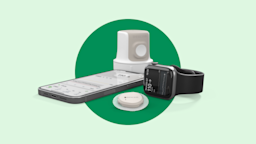
The Dexcom G7 system has 3 parts that work together to track your glucose levels throughout the day:
| Common Brands | Dexcom G7 |
|---|---|
| Drug Class | Continuous glucose monitoring |
| Controlled Substance Classification | Not a controlled medication |
| Generic Status | No lower-cost generic available |
| Availability | Prescription only |

The following side effects may get better over time as your body gets used to the medication. Let your healthcare provider know immediately if you continue to experience these symptoms or if they worsen over time.



How to set up Dexcom G7 10 Day:
How to insert Dexcom G7 10 Day sensor:
How to remove Dexcom G7 10 Day sensor

Dexcom G7 10 Day can cause some serious health issues. This risk may be even higher for certain groups. If this worries you, talk to your doctor or pharmacist about other options.
Avoid getting tests like an magnetic resonance imaging (MRI), computed tomography (CT) scan, or treatments like diathermy while using Dexcom G7 10 Day. These procedures haven’t been tested with the system and might damage it, which can lead to incorrect glucose readings.
If you have a medical test scheduled, tell your care team that you’re using Dexcom G7 10 Day. You might need to remove the device before the test.
If you're going through security, such as at the airport, tell the staff you're wearing Dexcom G7 10 Day. You can usually go through metal detectors or body scanners, but the system hasn’t been tested with all scanners. Because of this, you might want to use a glucometer and fingerstick tests to check your blood sugar until you leave the security area.
You can also ask for a hand-wand check, full-body pat-down, or visual inspection instead of going through a scanner.
Don’t apply skin products, such as sunscreen or insect repellent, before inserting your Dexcom G7 10 Day sensor. These products can damage the device or prevent the sensor from sticking well, which can affect how accurately it measures your glucose levels.
If skin products get on your Dexcom G7 10 Day, wash your hands and gently wipe the device with a clean cloth.
If you have symptoms of low or high blood sugar that don’t match your Dexcom G7 10 Day readings, check your blood sugar with a fingerstick test and contact your diabetes care team. Keep a separate blood glucose monitor at home, since the app doesn’t include one.
Certain medications can affect how accurate your Dexcom G7 10 Day readings are. If you take hydroxyurea, your glucose readings might appear higher than they really are. Taking more than the recommended dose of acetaminophen (Tylenol) (more than 1 gram every 6 hours), can also cause falsely high readings. This can raise your risk for dangerously low blood sugar levels.

 Carton
| Dosage | Quantity | Price as low as | Price per unit |
|---|---|---|---|
| 3 sensors | 3 cartons | $174.06 | $58.02 |


Contraindications are specific health conditions or situations in which a person should not take a medication due to safety concerns. If you have any of the following conditions or if any of the following apply to you, let your healthcare provider know because Dexcom G7 10 Day will not be safe for you to take.


Prescription savings
Stop paying too much for your prescriptions. Compare prices, get pharmacy coupons, and save up to 80%. Find expert answers to your health questions so you can make the best decisions for yourself and your family.
Health conditions
Medications & treatment
Access & affordability
Medication discounts

To calibrate Dexcom G7 10 Day, first check your blood sugar with a glucometer when your glucose level is stable. Don't calibrate when your blood sugar is changing quickly, such as right after eating or exercising. Then, enter your blood sugar reading into the smartphone app or receiver and select "Use as Calibration." Keep in mind you don't need to calibrate Dexcom G7 10 Day every day. Calibration is optional, but it can help if your CGM readings don't match how you feel or your fingerstick reading.
To remove your Dexcom G7 10 Day sensor, gently peel back the edge of the adhesive patch. If it's difficult to remove, apply baby oil or a medical adhesive remover around the edges and wait a few minutes to loosen the adhesive. Slowly peel the sensor away from your skin, then wash the area with soap and water. Throw away the used sensor according to your local guidelines.
The Dexcom G7 10 Day sensors last for up to 10 days, but you have a 12-hour grace period after that for a little more flexibility.
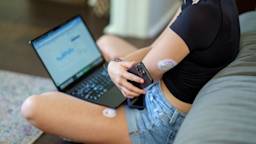
Adults and children ages 2 years and older should place the Dexcom G7 10 Day sensor on the back of the upper arm. For children ages 2 to 6 years, the sensor can also be placed on the upper buttocks.
Dexcom G7 10 Day is considered an accurate continuous glucose monitor (CGM). In adults, it has a mean absolute relative difference (MARD) of 8.2%. MARD is a measure of how closely a CGM reading matches your actual blood sugar level. In general, the lower the MARD, the more accurate the CGM. A MARD of less than 10% is considered accurate and reliable for most people with diabetes.
There are several insulin pumps that are compatible with Dexcom G7 10 Day, including iLet Bionic Pancreas, Omnipod 5, Tandem Mobi, and Tandem t:slim X2. Follow up with your prescriber to learn whether your insulin pump is compatible with this monitor.
Yes, Dexcom G7 10 Day has a transmitter built into the sensor. Unlike some other CGMs, you don't need to attach or replace a separate transmitter. Each time you apply a new sensor, you're also using a new transmitter.
Dexcom G7 10 Day and Dexcom G7 15 Day are both CGMs, but they have a few key differences. Dexcom G7 10 Day can be used by people ages 2 years and older, while Dexcom G7 15 Day is cleared for adults ages 18 years and older. Dexcom G7 10 Day sensors can be worn for up to 10 days, but Dexcom G7 15 Day sensors last up to 15 days. The Dexcom G7 15 Day sensor also has a 60-minute warm-up, compared with 30 minutes for Dexcom G7 10 Day. Talk to your healthcare professional if you have questions comparing the two.