Key takeaways:
Do-it-yourself (DIY) “looping” is an alternative, automated insulin delivery system that is not FDA approved.
People often choose DIY systems because they’re more customizable.
DIY looping uses a continuous glucose monitor (CGM), insulin pump, and a bridging device to a smartphone. The open-source app (or brain of the system) is free, and it adjusts insulin delivery for people living with Type 1 diabetes.
While DIY looping has become more mainstream, there are other FDA-approved devices available. If you’re interested in using a DIY system, be sure to talk with your healthcare team first.
Type 1 diabetes is an autoimmune condition in which the body becomes confused, destroying its insulin-producing cells. Research suggests that people living with Type 1 diabetes make about 180 health-related decisions every day. So it’s no surprise that Type 1 diabetes is a challenging disease to manage.
Work on do-it-yourself (DIY) systems started as frustration grew over the slow pace of diabetes technology advancements. In the diabetes community, this is better known as the #WeAreNotWaiting movement. By “hacking” existing diabetes tools, this group created simpler, DIY solutions for a complicated disease.
DIY systems are a type of automated insulin delivery (AID) device. While they aren’t perfect, they can help to improve the quality of life for those living with Type 1 diabetes. As they’ve become increasingly popular with users standing by their configurability, others continue to choose FDA-approved devices. Read on to learn more.
What is DIY looping?
Simply put, AID systems are trying to do the job of a pancreas. They accomplish this by:
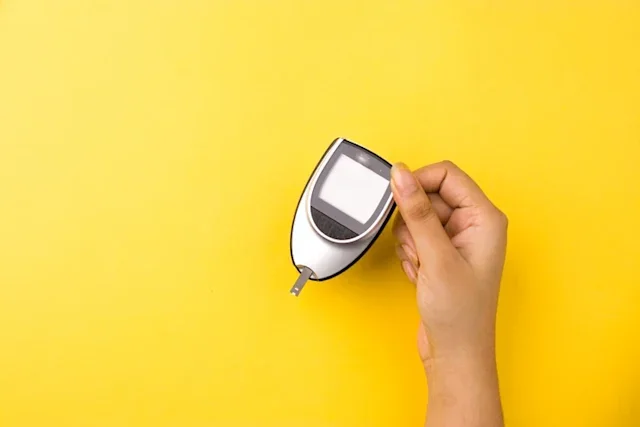
Sensing glucose changes with a continuous glucose monitor (CGM)
Sharing real-time CGM data with an algorithm (brain of the system)
Making automatic adjustments to the amount of insulin that’s delivered
While a CGM and an insulin pump can be used independently, they’re even more helpful when they communicate. There are two DIY looping options to make this happen: OpenAPS (Artificial Pancreas System Project) and Loop. Both are open-source instructions. This means that they’re available to the general public to build — but not to purchase. It’s important to learn about both systems before choosing one over the other.
DIY systems are also known as “hybrid closed-loop systems.” This is because they aren’t fully hands-off systems. They still require actions for meals (carbohydrate counting, giving insulin) and adjustments for exercise. Closed-loop, or hands-off systems, are still under development.
Multiple studies show the possible benefits of using an AID system.
What is an open-loop vs. hybrid closed-loop insulin pump?
First, let’s clarify a few basic terms:
Open looping: This is when you use a CGM and pump to loop, but the system needs user input. This means that no actions happen automatically.
Hybrid closed looping: This has some hands-off actions. That means the pump and CGM will communicate and make adjustments to keep glucose within a preset range.
Closed looping: These systems wouldn’t require user input. These are still under development.
Both DIY systems suggest starting with an open-loop and then advancing to a hybrid closed-loop pump when you’re comfortable doing so. Again, both APS and Loop are hybrid, closed-loop systems and still require user input for meals and exercise.
There are steps to follow that will help you to understand how your system works and how to adjust your settings. Using a loop won’t simplify every aspect of living with diabetes. You'll still be on the hook for:
Filling
Wearing
Charging
Inserting
Caring for your everyday equipment
What are the pros and cons of DIY looping?
Although there are many advantages associated with DIY looping, there are some drawbacks, too. Let’s take a look at both.
Pros of looping
There are several advantages of looping:
Free, customizable solution for diabetes management
Online updates
Decreased disease burden
Quality of life improvements
Increased time in range (less high and low blood sugars)
Improved sleep
Both have closed groups on Facebook and community support forums on Gitter —OpenAPS and Loop
Cons of looping
But there are drawbacks as well:
DIY systems are not FDA approved
No formal technical support
Frequent tech updates that can cause glitches
No guide for healthcare professional to support users of DIY systems
Upfront system expenses
Complicated build
More devices to carry
May require using an out-of-warranty insulin pump
User error, CGM warm-up periods, site occlusions, and other issues
What equipment do you need to loop?
The most challenging part can be getting the right insulin pump for the system you decide to use. The APS system has a flowchart that’s really helpful, as does LoopDoc.
Necessary items include:
Compatible insulin pump and CGM
Insulin and supplies for the insulin pump and CGM
Smartphone
Connection device (transmitter) that connects the pump and CGM (RileyLink for Loop or Raspberry Pi for APS, among others)
MacBook computer and Apple developer account (for Loop)
Accessory case
Battery and chargers for smartphone, insulin pump, and bridging device
How do I start looping?
Users begin by reading through the system instructions, picking a DIY system, and purchasing the hardware. The software — OpenAPS or Loop — comes next.
You’ll find that each system is a bit different. For example, Loop only uses Apple products, and it requires the user to register as an Apple developer each year. OpenAPS works with Android and iPhone devices. Both systems use different communication devices to tie their systems together.
There are FDA-approved AID devices to purchase from Tandem, Medtronic, Omnipod, and Beta Bionics.
Both DIY systems require the user to:
Read through the detailed instructions for each system
Gather what’s necessary for the build (see below)
Use the instructions to load the software for your system
Configure it to your devices with personal preferences
Loop algorithms
Loop runs on an iPhone with updates from a CGM. A RileyLink acts as a bridge, allowing communication between a CGM and insulin pump. It must be carried with you at all times. The app collects CGM data, and using an algorithm, it makes adjustments to insulin delivery through the pump (with personalized targets).
OpenAPS algorithms
The Open Artificial Pancreas System Project (OpenAPS) app gathers data from your insulin pump and CGM readings. It does the math and configures the best settings to keep your blood sugars within target range.
OpenAPS uses a different set of devices to connect the system. Two of the options are the Intel Edison and the Raspberry Pi. You must carry it with you at all times. There’s also a version that’s compatible with an Android phone.
What can you customize with a DIY system?
People often choose to DIY loop because settings are more adjustable than FDA-approved systems. Both OpenAPS and Loop have adjustable setup options to choose from. You can find instructions for each system in the links above.
Why are options important? Because they can help you to get the best glucose results possible.
DIY customizations include:
Carbohydrate ratios
Correction factor or insulin sensitivity factor
Basal rates
Duration of insulin
Target range
Basal and bolus limits
Can I loop with Type 2 diabetes?
Type 2 diabetes is the most common type of diabetes. It occurs when the body isn’t making enough insulin or responding to it as expected. While the majority of people, 90% to 95%, have Type 2 diabetes — only a small percentage take insulin.
Research suggests that looping with Type 2 diabetes may:
Improve time in range
Decrease the risk of diabetes-related health issues
If you have Type 2 diabetes and have been prescribed insulin, an AID device may be an option for you. Be sure to ask your healthcare professional if closed-loop technology could be a good fit. If it is, you can explore DIY systems or an FDA-approved AID system for insurance approval.
DIY looping may help to improve your access to an AID system if your insurance plan denies coverage of an FDA-approved system. Most private insurance plans and Medicare cover CGM and supplies. Understanding your cost is an important part of choosing the right technology.
Can DIY looping help lower your healthcare costs?
Not necessarily. All of the supplies needed to support a DIY system can stack up in terms of cost. But not having to purchase a new insulin pump can help. Total costs will depend on what path you take with your hardware choices.
Regardless of the AID system you choose to build or buy, research highlights their potential for positive physical and emotional benefits.
FDA clearance for mix and match systems
Tidepool Loop received FDA clearance in early 2023, but it’s not currently available for use.
This long-awaited FDA-approved app will be available through the iOS app store, allowing the user to:
Choose from a handful of in-warranty, commercial insulin pumps to loop with
Mix and match looping devices (CGM and insulin pumps) that were once incompatible
Maintain the ability to customize insulin pump settings from those pre-set by manufacturers
The FDA-regulated Tidepool app is the first tool to originate from a crowdsourced diabetes solution.
The bottom line
DIY “looping” is an alternative, off-label use of diabetes devices that isn’t FDA approved. Looping automates the delivery of insulin and offers more flexible settings than current FDA-approved systems for people living with Type 1 diabetes. Because DIY looping isn’t FDA approved, both risk and liability are on the user. If you are thinking of looping, be sure to talk to your healthcare professional first.

Why trust our experts?



References
AndroidAPS Community. (n.d.). Welcome to the AAPS documentation.
Boughton, C. K., et al. (2020). Automated insulin delivery in adults. Endocrinology and Metabolism Clinics of North America.
Centers for Disease Control and Prevention. (2021). Type 2 diabetes.
Farrington, C. (2019). Psychosocial impacts of hybrid closed-loop systems in the management of diabetes: A review. Diabetic Medicine.
Habif, S., et al. (2020) Glycemic outcomes for people with type 1 and type 2 diabetes using -control-IQ technology: Real-world data from early adopters. Tandem Diabetes Care.
Insulet. (2022). All about Omnipod 5 automated insulin delivery (AID) system.
Kesavadev, J., et al. (2020). The do-it-yourself artificial pancreas: A comprehensive review. Diabetes Therapy.
Lewis, D. (2019). History and perspective on DIY closed looping. Journal of Diabetes Science and Technology.
Lewis, D., et al. (2024). Open APS outcomes. OpenAPS.org.
Loop Community. (n.d.). Compatible pumps.
Loop Community. (n.d.). RileyLink FAQs.
McDermid, E. (2021). Consensus statement on open-source closed-looping published. Medicine Matters Diabetes.
Medicare.gov. (n.d.). Continuous glucose monitors
Medtronic. (n.d.). Automated insulin delivery (AID) systems.
Open APS Community. (2017). Get your rig hardware.
Open APS Community. (2017). Hardware overview.
Open APS Community. (2017). How a DIY open source closed loop ‘artificial pancreas’ works.
Open APS Community. (2017). Information about compatible insulin pumps.
Tack, C. J., et al. (2018). Glucose control, disease burden, and educational gaps in people with type 1 diabetes: Exploratory study of an integrated mobile diabetes app. JMIR Diabetes.